

Rebex Drive 0.9.2: Automatic updates, SSH key auth, and more
Rebex Drive 0.9.2 is out. Here is what's new.

Automatic updates
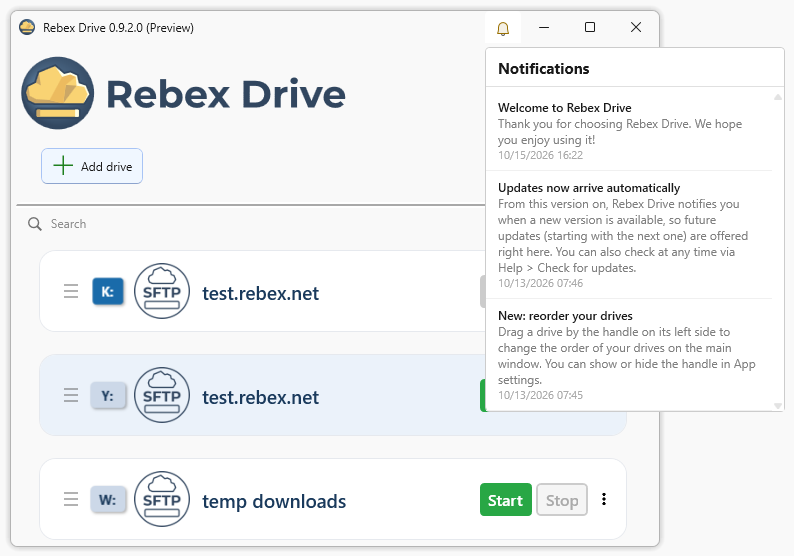
Rebex Drive now tells you when a new version is available and can install it for you. No need to check the website manually.
You can also use Help - Check for updates to check on your own, or Help - What's new to see the release notes for the current version.
SSH key and SSH agent authentication
SFTP drives can now sign in with an SSH private key file, including passphrase-protected ones, instead of a password. You can also use an SSH agent (Pageant or the Windows OpenSSH agent) and skip the password entirely.
Clearer host key warnings
If a server’s host key changes, Rebex Drive now warns you before connecting. It shows the new fingerprint next to the ones you trusted before, and explains the likely causes: a reinstalled server or a possible man-in-the-middle attack.
On-demand sync
Running drives now have a new Download remote changes command in their right-click menu. Use it when you know something changed on the server and you want to pull the changes immediately, instead of waiting for the next automatic check.
Log rotation
Log files are now rotated by size. When the active log reaches the limit you set, it is archived and a new one is started. You choose the maximum size and how many archives to keep, and the oldest archive is deleted once that number is exceeded. In App settings you can open archived logs in Notepad, or clear the log and optionally delete the archives too. Rotation is on by default and can be turned off.
Logs can be written as plain text (.log) or as NDJSON (.ndjson). NDJSON stores one JSON object per line, so the log can be streamed: you can tail it, pipe it into other tools or ship it to a log aggregator record by record, while the app is still running.
UI customization
Several new options let you make Rebex Drive work the way you want.
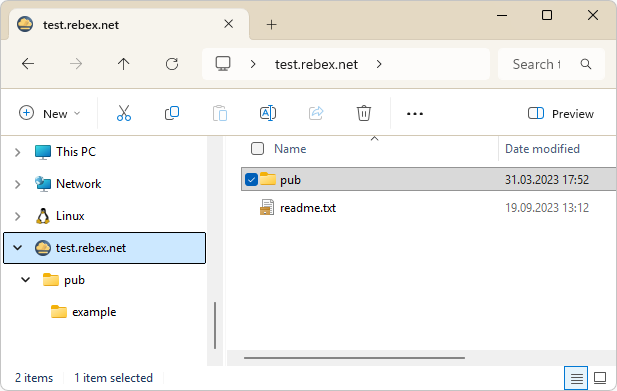
Drive name in Windows Explorer. You can show the drive name in the Windows Explorer navigation pane. This is optional and can be set per drive.
Configurable double-click. Choose what happens when you double-click a drive on the main window: start or stop the drive, edit it, open its folder, restart it, or do nothing.
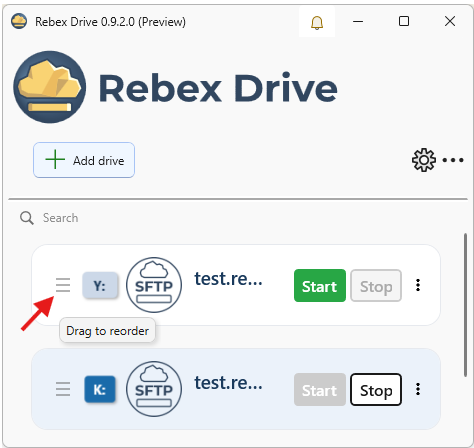
Drag and drop reordering. You can reorder your drives on the main window by dragging them. The drag handle can be hidden in App settings.
Better reliability and error handling
This release includes many improvements under the hood:
- Stopping a drive is faster, even when many local changes are still waiting to be uploaded.
- Renamed files are synchronized more reliably, including files that are still open in another application.
- When you add or edit a drive, Rebex Drive checks the local mount folder and shows an error if it can't be created or isn't writable.
- Startup warnings help catch common problems early: low disk space, a non-NTFS disk, Windows Sandbox, or an incorrect system date/time.
- Drive cards show the reason when a sync operation fails, and clear it once synchronization succeeds again.
- One damaged drive definition no longer stops the other drives from loading.
For a full list of changes, see the release notes.
Comments, bug reports, and feature suggestions are welcome at: support@rebex.net.